AI Resume Photo Maker
Turn one selfie into a professional resume picture: a clean studio background, work-ready clothes and even light, in the size your CV template needs. Check first whether your country expects a photo at all; the guide below covers that too.
- Plain white or gray studio backgrounds
- Blazer, suit or business-casual looks
- 3 free previews, no credit card
From a phone selfie to a resume photo
All four resume photos below came from the selfie on the left. The two plain backdrops are the safest choice for a CV: white reads as clean and formal, light gray softens the contrast on white paper. The suit suits law, finance and corporate roles; the open collar works almost everywhere else.
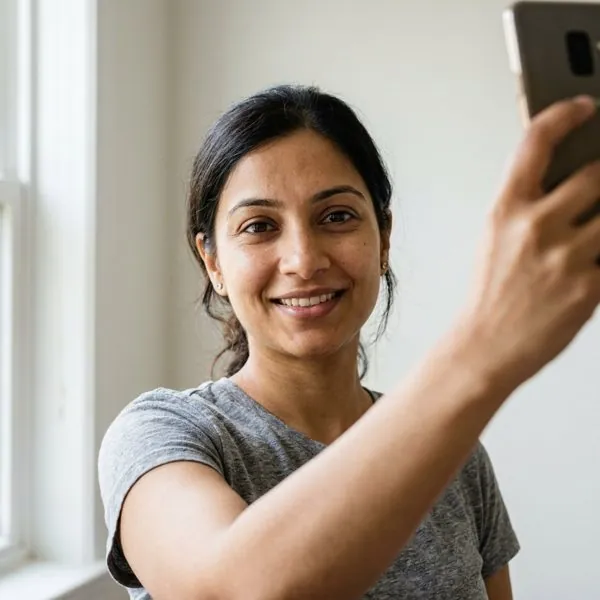
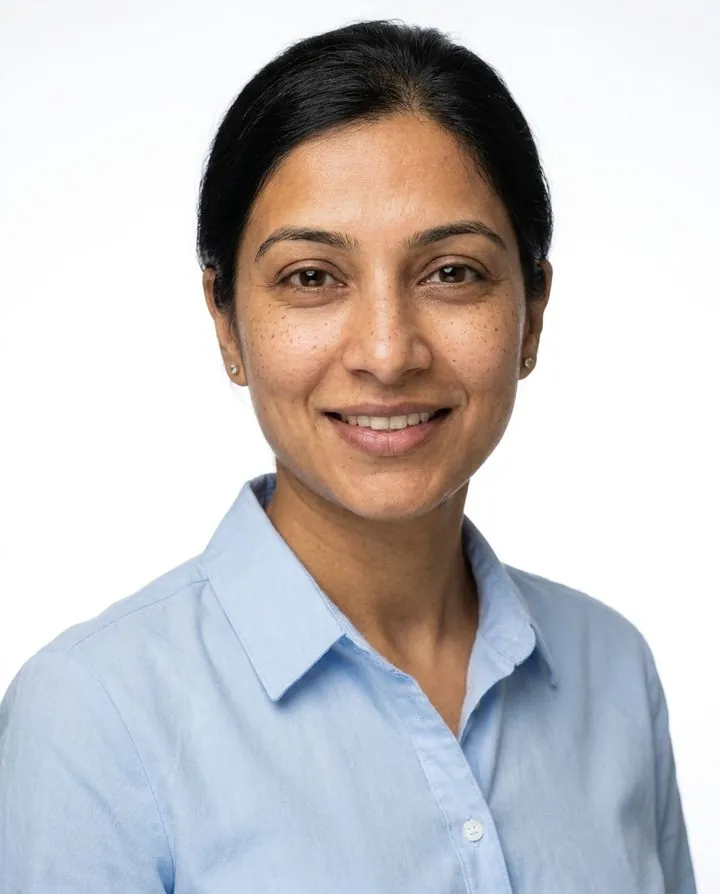
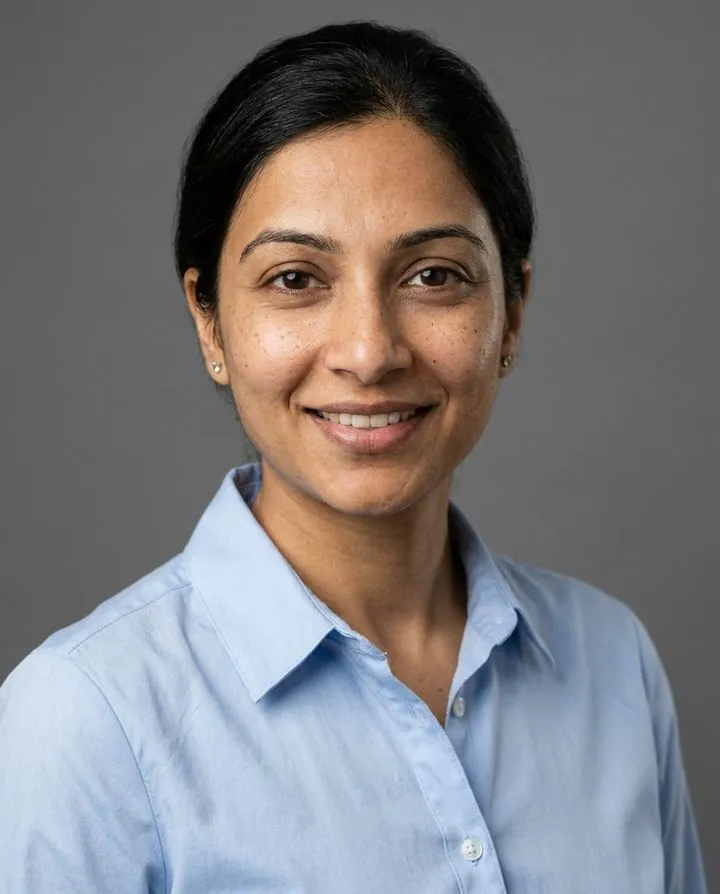
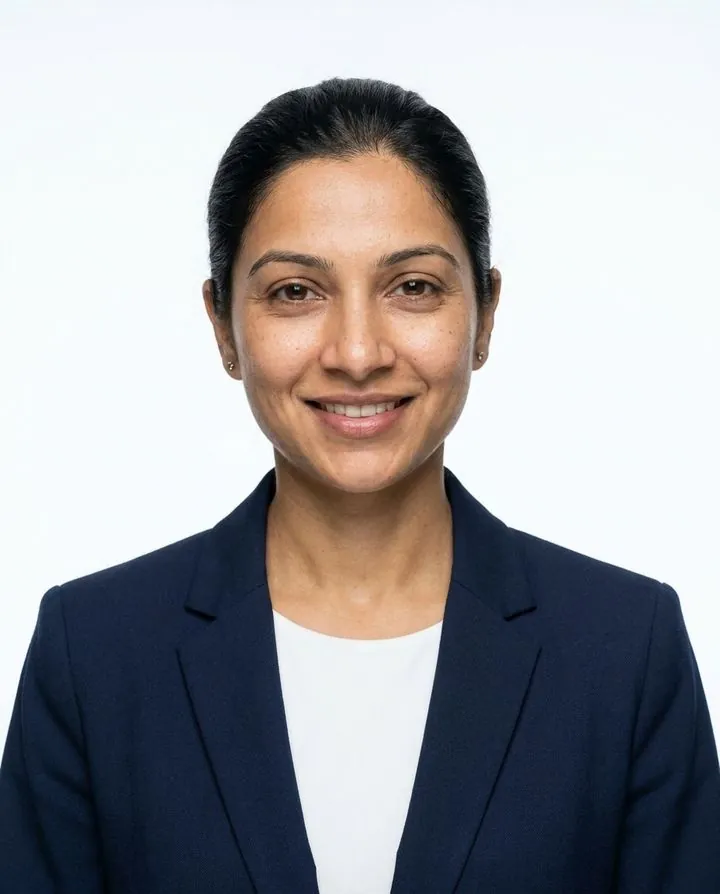
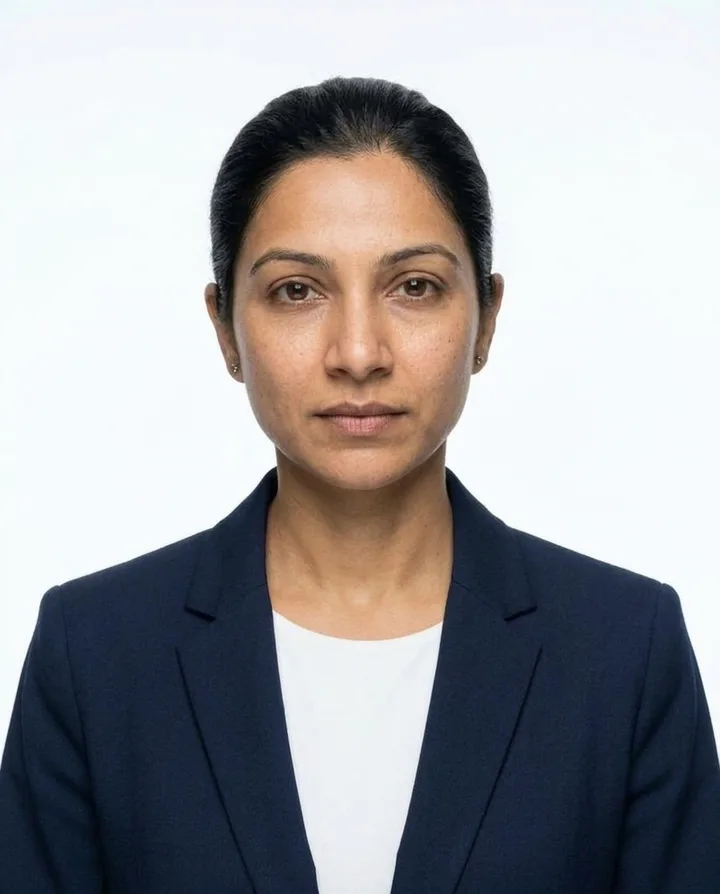
For a neutral expression like the last example, add a note such as "neutral expression, mouth closed" before you generate. Open the generator with the résumé look.
Should you put a photo on your resume?
It depends on where you apply. In the US, Canada, the UK, Ireland and Australia, leave the photo off: recruiters there are trained to avoid anything that invites bias, and some will set aside a resume with a photo. In much of continental Europe, Asia, the Middle East and Latin America, a professional photo is still normal and sometimes expected. For a remote job, follow the norms of the country where the employer is based, and always follow the job posting if it says otherwise.
| Where you're applying | Photo on the resume? | Usual size | Notes |
|---|---|---|---|
| United States, Canada | Leave it off | — | Put your photo on LinkedIn instead. Exceptions: acting, modeling, broadcasting. |
| United Kingdom, Ireland | Leave it off | — | Not expected on a CV and can look out of place. |
| Australia, New Zealand | Leave it off | — | Same reasoning as the US and UK. |
| Germany, Austria, Switzerland | Usually expected | Often 4.5 × 6 cm, or 3.5 × 4.5 cm | The Bewerbungsfoto is still standard, though some employers now accept CVs without one. |
| France, Spain, Italy, Portugal | Common | 3.5 × 4.5 cm | Widely used, increasingly optional. |
| Netherlands, Belgium, Nordics | Optional | 3.5 × 4.5 cm | Fine to include; not a disadvantage to leave out. |
| Japan | Required on a rirekisho | 3 × 4 cm | Recent photo, plain background, dark suit, neutral expression. |
| South Korea, China | Common | 3 × 4 cm | Formal and neutral, much like Japan. |
| Middle East (UAE, Saudi Arabia) | Common | 3.5 × 4.5 cm | Often expected, especially for client-facing roles. |
| Philippines | Common | 2 × 2 in | Formal attire on a plain background. |
| Latin America | Common | 3.5 × 4.5 cm | Varies by country and company. |
General hiring practice compiled from international CV guides, checked October 2026. Customs change and vary by company, so the job posting always wins.
Resume photo size in cm, inches and pixels
Most CV templates use one of a few standard photo sizes. If you print your CV, you need about 300 pixels per inch for a sharp photo; for a PDF that is only read on screen, half that is fine. Our paid files are about 1856 × 2304 px, so they crop to any of these with plenty to spare.
Pixel sizes are at 300 ppi, the usual print resolution. Keep the image file under about 1 MB so your finished PDF stays under the 2–5 MB limit many application forms set.
Where to put the photo on your resume
Top right is the convention in most of Europe: the eye lands on your name first, then your face, and the left column stays free for contact details. Some modern templates put a round photo in the top-left or in a sidebar instead, which is fine as long as it lines up with the header.
- Keep it small. About 3.5–4.5 cm wide, or a fifth of the page width. Bigger looks like a modeling card.
- Give it space. Don't let text wrap tightly around it or overlap it.
- One photo, page one only. Not on every page, and not on the cover letter unless it shares the header.
- Japanese rirekisho: the form has a fixed photo box at the top right; the photo goes exactly in it.
What makes a good resume photo
Head and shoulders, facing the camera
Frame from the top of your head to just below the shoulders, face toward the lens. A slight turn of the shoulders is fine in Europe; Japan and Korea expect you square to the camera.
A plain, light background
White or light gray prints cleanly and never distracts. Save office and outdoor backdrops for LinkedIn and bio pages.
Dress one step up from the job
A blazer or suit for corporate, legal and finance roles; a collared shirt or simple knit for tech, healthcare and creative work. Solid colors beat patterns. More in what to wear for headshots.
A friendly, natural expression
A light, closed or slightly open smile in most of Europe and the Middle East. A calm, neutral face with the mouth closed for Japan, Korea and many government applications.
Recent and recognizable
The interviewer should recognize you at the door. Japanese employers typically expect a photo taken within the last three months.
Sharp, but not over-retouched
Even light and clear focus on the eyes. Pick the natural retouch level for a CV: polished skin is fine, a different-looking face is not.
Resume photo mistakes to avoid
Do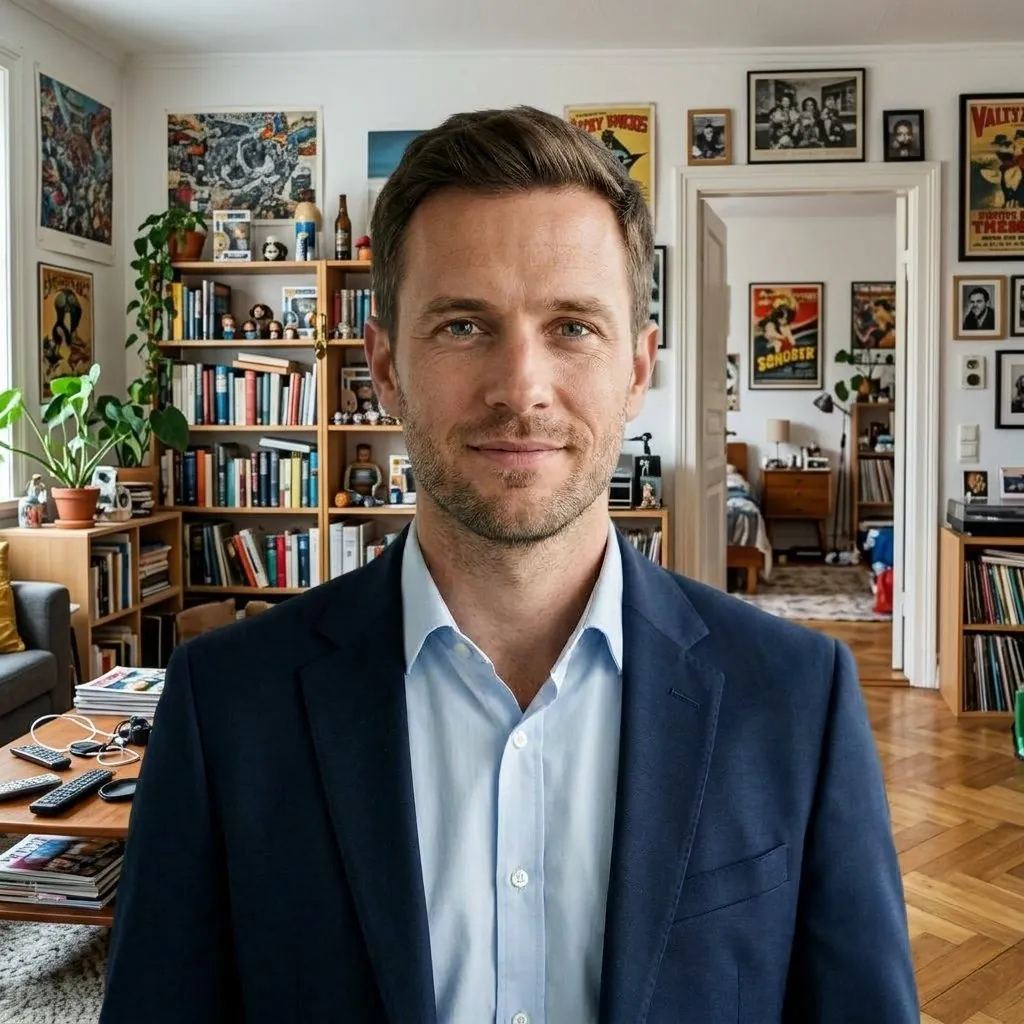 Avoid
Avoid Avoid
Avoid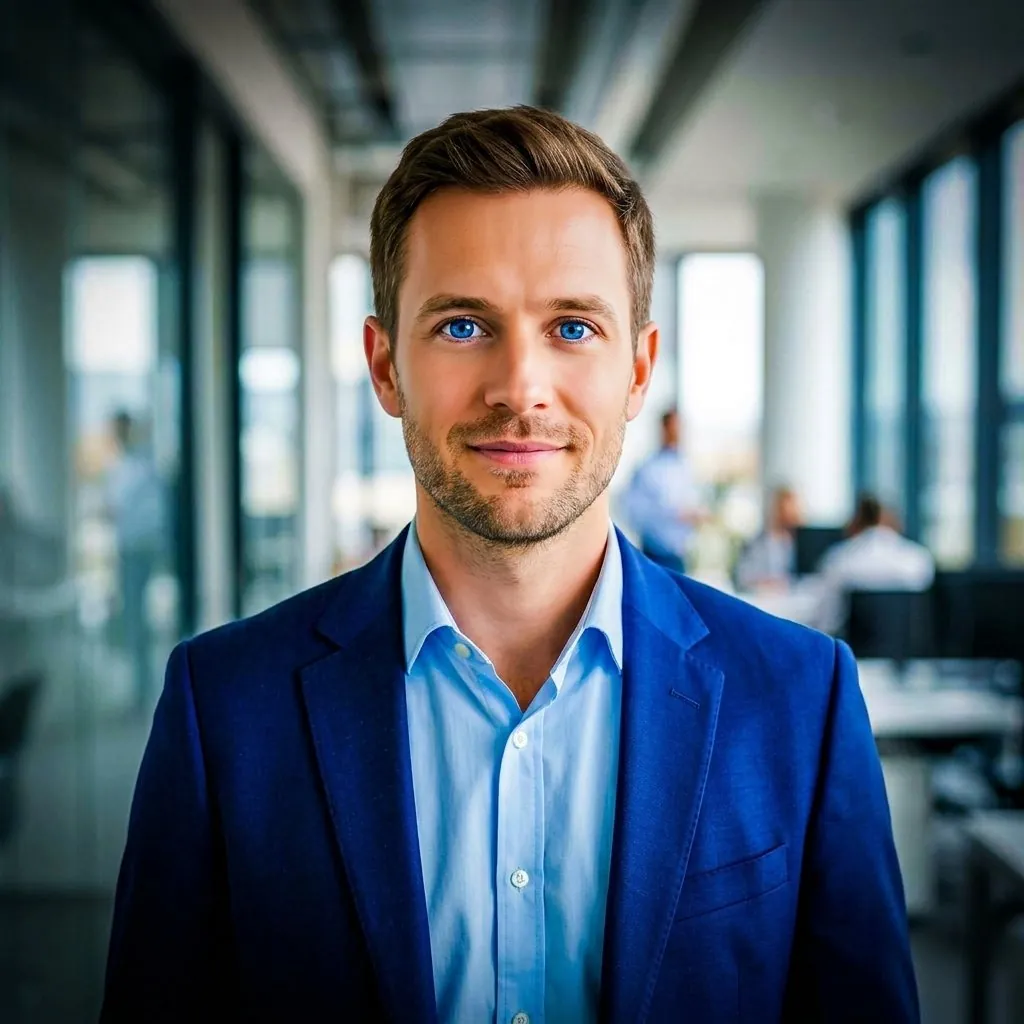 Avoid
Avoid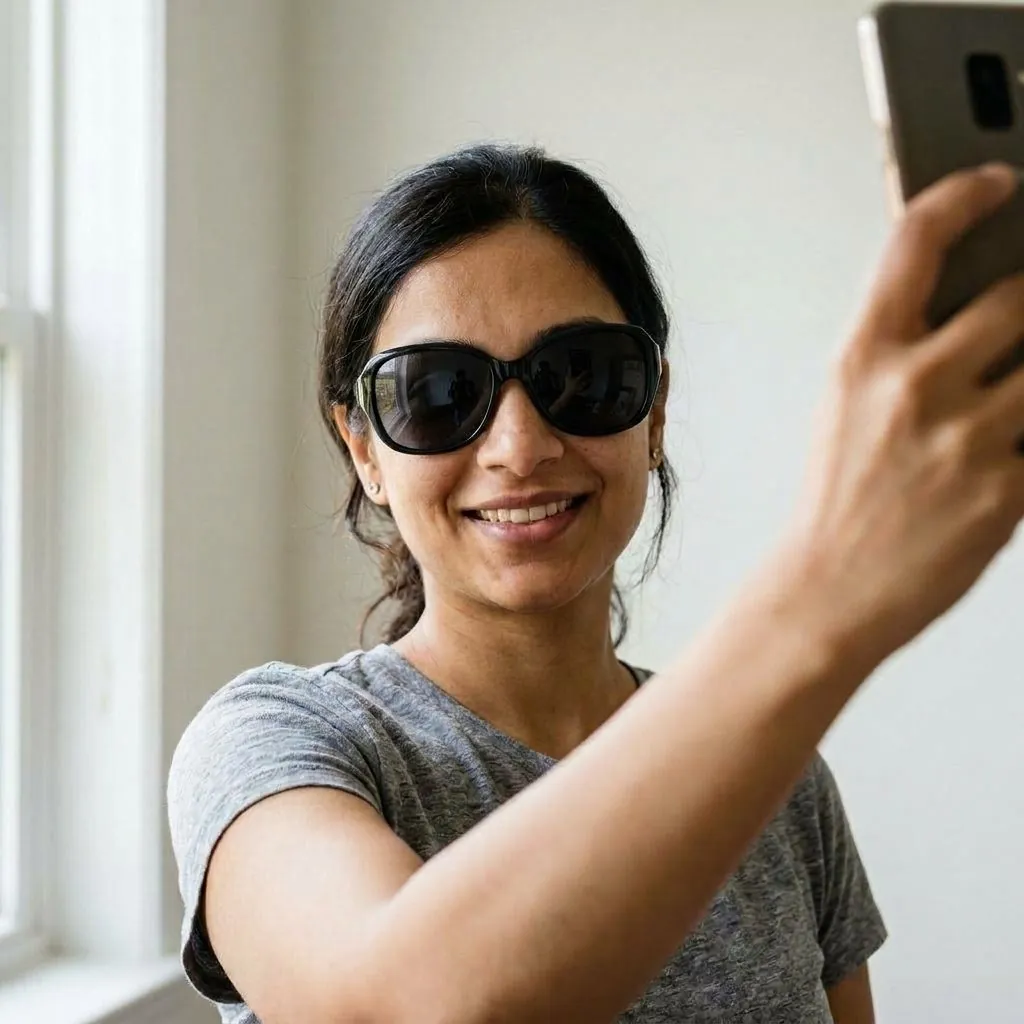 Avoid
AvoidAlso skip cropped group photos, wedding pictures and anything older than a couple of years.
How to add a photo to your resume
Download your photo first, then crop it in your editor to the shape of the template's photo box.
Microsoft Word
Insert → Pictures → This Device. Set Wrap Text to "Square" or "In Front of Text" and drag it to the top right. Use Picture Format → Crop → Aspect Ratio (3:4 or 1:1) to match the box, or Crop to Shape → Oval for a round photo.
Google Docs
Insert → Image → Upload from computer. Choose Wrap text, set the size under Image options (for example 3.5 cm wide), and use the crop handles to trim it to the box.
Canva and other templates
Most photo resume templates have a frame. Drag your photo onto it, then double-click to reposition your face in the middle with a little space above your head.
Export and check
Export as PDF and zoom to 100%. Your eyes should be sharp, and the file should stay under the application form's size limit.
Resume photo vs LinkedIn photo vs passport photo
| Resume photo | LinkedIn photo | Passport / ID photo | |
|---|---|---|---|
| Shape | Portrait rectangle or square, set by the template | Square, shown as a circle | Fixed official size |
| Background | Plain white or light gray | Plain, office blur or soft outdoor | Plain, color set by the authority |
| Expression | Friendly; neutral in Japan and Korea | Warm, approachable smile | Neutral, mouth closed |
| Retouching | Light retouching is fine | Light retouching is fine | Not allowed |
| Can AI make it? | Yes, from a selfie | Yes, from a selfie: LinkedIn headshots | No: official ID photos must be unedited photos |
One good studio-style headshot can cover your resume, LinkedIn and other profile pictures, so you look the same everywhere a recruiter finds you. Passport and visa photos are the exception: get those taken to the official rules.
Resume photo FAQ
Should I put a picture on my resume?
Not in the US, Canada, the UK, Ireland or Australia, unless you work in acting, modeling or broadcasting. In Germany, Austria, Switzerland, Japan, South Korea, China, the Middle East and much of Southern Europe and Latin America, a professional photo is common or expected. When in doubt, follow the job posting.
What size should a resume photo be?
35 × 45 mm is the most common international CV size, 3 × 4 cm is standard in Japan and Korea, Germany often uses 4.5 × 6 cm, and the Philippines uses 2 × 2 inches. For print, aim for 300 pixels per inch, for example 413 × 531 px for 35 × 45 mm.
Can I use an AI-generated photo on my resume?
Yes, if it looks like you today. An AI resume photo made from your own selfie is a retouched studio-style picture of you, not a different person. Choose the most natural result and keep the retouching light, because the interviewer will compare it with your face. For official ID or passport photos, use an unedited photo instead.
What background is best for a resume photo?
Plain white or light gray. Both look clean on a white page and work in every country. A soft blue is also common in parts of Asia. Avoid rooms, outdoor scenes and strong colors on a CV.
Should I smile in my resume photo?
A light, natural smile works for most of Europe, the Middle East and Latin America. For Japan, South Korea and many government jobs, a calm, neutral expression with the mouth closed is the norm. Add "neutral expression, mouth closed" as a note in the generator if you need that look.
What should I wear for a resume photo?
What you would wear to the interview: a suit or blazer for corporate, law and finance roles, a collared shirt or plain knit elsewhere. Pick solid, mid-tone colors that contrast with a white background. With HeyAIHeadshot you choose the outfit after uploading, so your selfie can be in anything.
Can I use a selfie as my resume photo?
Not as it is: a raw selfie usually has a busy background, uneven light and a distorted angle from holding the phone close. Use it as the starting point instead. Upload the selfie here and the AI turns it into a studio-style resume photo with a plain background.
Is the resume photo maker free?
You can make 3 resume photo previews of yourself free, with no credit card. Previews are watermarked; packs to download them clean start at $9 one-time. See the free AI headshot generator for details.